How many calories do you need a day? Mifflin-St Jeor with worked examples
Use Mifflin-St Jeor to estimate daily calories from weight, height, age, and activity, with worked examples and portion checks.
Published Oct 11, 20268 min read
In this guide
Your daily calories are your Mifflin-St Jeor BMR multiplied by an activity factor; in the worked example below, that comes out to 1,795 kcal/day.
That number is an estimate, not a diet plan. It gives you a starting point for logging food, comparing portions, and seeing whether your average intake matches your goal over time. If you have a medical condition, are pregnant, or have a history of eating disorders, talk to a clinician before cutting calories.
How do you calculate your daily calories with Mifflin-St Jeor?
Mifflin-St Jeor starts with BMR, or basal metabolic rate. BMR is the estimate before daily movement is added. The formula uses weight in kilograms, height in centimeters, and age in years.
For men:
BMR = 10 × weight(kg) + 6.25 × height(cm) − 5 × age + 5
For women:
BMR = 10 × weight(kg) + 6.25 × height(cm) − 5 × age − 161
Worked example for a woman:
- Weight: 59 kg
- Height: 165 cm
- Age: 31
- Activity: light, so the multiplier is 1.375
First calculate BMR:
10 × 59 + 6.25 × 165 − 5 × 31 − 161
That is:
590 + 1,031.25 − 155 − 161 = 1,305.25 kcal/day
Then apply activity:
1,305.25 × 1.375 = 1,794.7 kcal/day
Rounded for practical logging, that is 1,795 kcal/day. You do not need to treat the decimal as meaningful. Food labels, cooked weights, and recipe portions are already less exact than that.
If you want to run your own numbers without doing the arithmetic by hand, use the calorie tools at Cal AI calculators, then keep the same activity setting for at least long enough to compare several days of intake.
Which activity multiplier should you use?
After BMR, choose the activity multiplier that best matches your normal week, not your best day.
- Sedentary: 1.2
- Light: 1.375
- Moderate: 1.55
- Active: 1.725
The multiplier is where many estimates go wrong. If you sit most of the day and train sometimes, “light” may fit better than “moderate.” If your job keeps you moving and you also train, “active” may be closer. The point is not to win the highest multiplier; it is to start with a number you can test against your food history.
Worked example for a man:
- Weight: 85 kg
- Height: 173 cm
- Age: 50
- Activity: moderate, so the multiplier is 1.55
BMR:
10 × 85 + 6.25 × 173 − 5 × 50 + 5
That is:
850 + 1,081.25 − 250 + 5 = 1,686.25 kcal/day
Daily calories with moderate activity:
1,686.25 × 1.55 = 2,613.7 kcal/day
Rounded, this example needs about 2,614 kcal/day to maintain on that activity setting.
If that same person picked sedentary instead, the estimate would be:
1,686.25 × 1.2 = 2,023.5 kcal/day
Rounded, that is 2,024 kcal/day. The difference is large enough to change the whole day’s target, so choose the multiplier carefully and adjust from your logged trend rather than from one unusually active or unusually quiet day.
How do you adjust the number for weight change?
For maintenance, use the TDEE estimate as your starting target. For weight change, adjust from that number in a controlled way and watch the average. A common rule of thumb is that 1 kg of body fat is about 7,700 kcal. It is only a rule of thumb; body weight also moves with water, food volume, and normal day-to-day variation.
Worked example using the moderate-activity man above:
- Estimated maintenance: 2,614 kcal/day
- Example daily intake: 2,000 kcal/day
- Difference: 2,614 − 2,000 = 614 kcal/day
Using the rule of thumb:
7,700 ÷ 614 = about 13 days
That does not mean body weight will move in a straight line every day. It means the calorie gap is large enough to track. If the logged intake is accurate and the activity estimate is reasonable, the average over time should tell you whether the target needs to move up or down.
For protein, a general reference range for active adults is 1.2–2.0 g per kg of body weight. This is general guidance, not medical advice. For the 85 kg example, that range is:
85 × 1.2 = 102 g/day
and
85 × 2.0 = 170 g/day
You can use that as a macro reference while keeping calories as the main target. For example, the Cal AI catalog entry for chicken breast lists cooked chicken breast at 165 kcal and 31 g protein per 100 g, so a 120 g small breast is:
120 × 165 ÷ 100 = 198 kcal
and
120 × 31 ÷ 100 = 37.2 g protein
What does a portion do to your daily total?
A calorie target only becomes useful when the portions are weighed or estimated consistently. Cooked white rice is a good example because a small change in grams moves the meal total quickly. From the Cal AI catalog, cooked white rice is 130 kcal per 100 g, with 2.7 g protein, 28 g carbs, and 0.3 g fat per 100 g.
| Portion | Grams | Calories | Protein | Carbs | Fat |
|---|---|---|---|---|---|
| 100 g reference | 100 g | 100 × 130 ÷ 100 = 130 kcal | 2.7 g | 28 g | 0.3 g |
| Small | 75 g | 75 × 130 ÷ 100 = 98 kcal | 75 × 2.7 ÷ 100 = 2.0 g | 75 × 28 ÷ 100 = 21 g | 75 × 0.3 ÷ 100 = 0.2 g |
| Standard | 150 g | 150 × 130 ÷ 100 = 195 kcal | 150 × 2.7 ÷ 100 = 4.1 g | 150 × 28 ÷ 100 = 42 g | 150 × 0.3 ÷ 100 = 0.5 g |
| Large | 300 g | 300 × 130 ÷ 100 = 390 kcal | 300 × 2.7 ÷ 100 = 8.1 g | 300 × 28 ÷ 100 = 84 g | 300 × 0.3 ÷ 100 = 0.9 g |
The standard 150 g row is 195 kcal; that is about 10 percent of a 2,000 kcal day.
This is why grams matter more than the name of the serving. “A bowl” can mean different things. If your target is 1,795 kcal/day, the difference between the standard and large rice portions is:
390 − 195 = 195 kcal
That one portion difference is the same calorie count as another standard rice portion. The food did not change; only the grams changed.
Small extras work the same way. Olive oil is 884 kcal per 100 g in the catalog. A 14 g tablespoon is:
14 × 884 ÷ 100 = 124 kcal
If oil is in the pan, dressing, or sauce, log it when you can. It is calorie-dense enough that skipping it repeatedly can make your daily average look lower than it is.
How do you log this in Cal AI?
This article is about the Cal AI app published by BeeStudio at calai.me, not the other app with the same name.
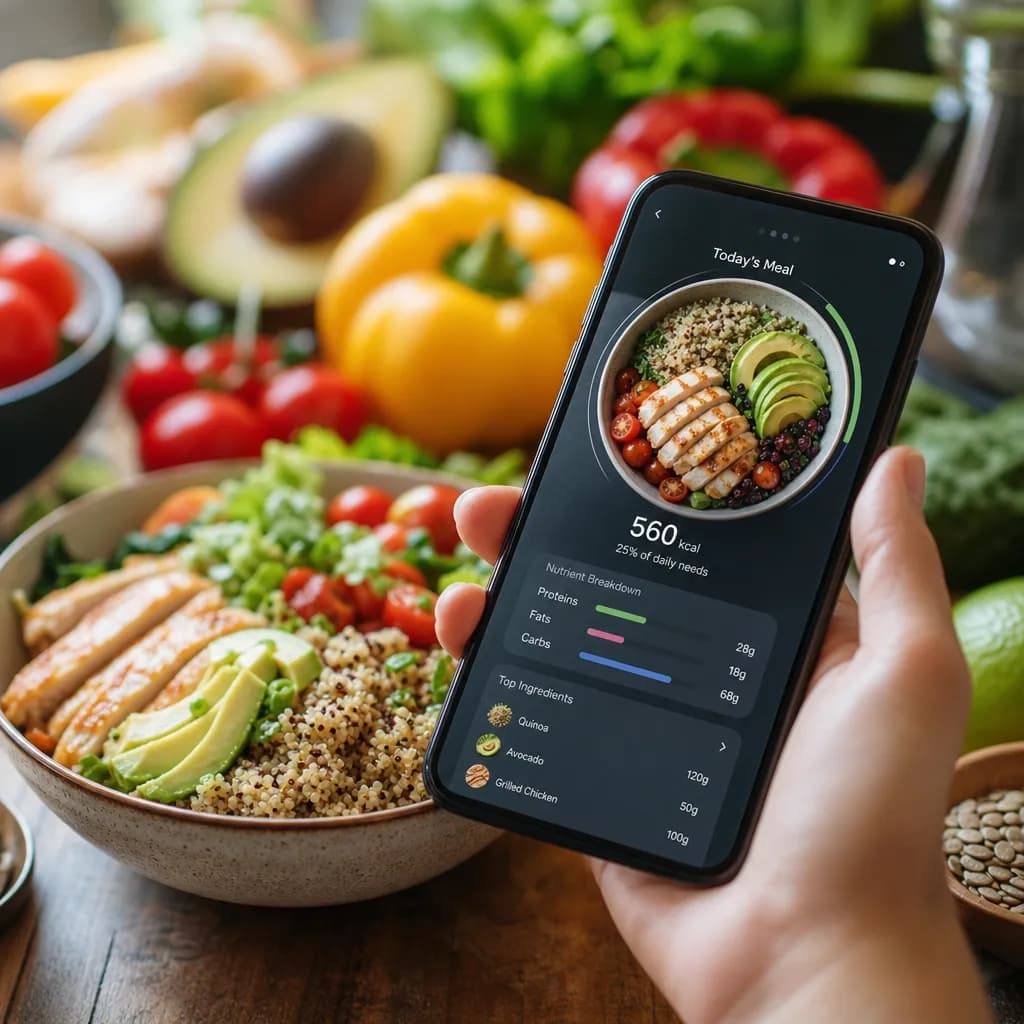
To log a meal in Cal AI, take the photo, pick the recognition variant that best matches the plate, then correct the grams and calories before saving. If the scan sees rice but the portion is closer to 300 g than 150 g, change the grams. The calorie total should move with the portion.
The app also lets you enter food manually without using a scan, and it sets a daily calorie goal from TDEE using Mifflin-St Jeor. Use the day-by-day history to compare your estimated target with what you actually logged. Cal AI does not include Apple Health, Google Fit, or fitness-tracker integration, and it does not have weight tracking or a searchable food database, so keep activity level and body-weight notes outside the app if you need them.
A practical logging flow is:
- Set the calorie goal from your Mifflin-St Jeor TDEE.
- Photograph the meal.
- Choose the closest recognition variant.
- Fix the grams for each item.
- Check the day history against your target.
Use the food catalog when you need a known reference food, such as rice, egg, salmon, oatmeal, potato, Greek yogurt, olive oil, or chicken breast. Use food comparisons when two similar foods fit the same meal and you want to see which one better matches the calories or macros you are aiming for.
Why might your estimate be off?
The formula is only one part of the estimate. The larger errors usually come from activity choice, portion size, and label variation.
Food labels in the EU and US can be around ±20 percent from the stated value. That does not make labels useless. It means one day of logging is too noisy to judge. Look at repeated entries, consistent portions, and the day-by-day average.
Cooked and raw weights can also change the result. If the catalog entry says cooked, use a cooked weight. If the portion is a cooked 85 g salmon fillet, the catalog calories are:
85 × 206 ÷ 100 = 175 kcal
If you log the wrong state of the food, the number can drift even when the scale is accurate.
The best fix is boring and effective: keep the same formula, use the same activity multiplier, weigh or estimate the same way, and only change one assumption when the logged average clearly needs it.
Topics
Frequently asked questions
Does Mifflin-St Jeor include exercise calories?
BMR does not include exercise. The activity multiplier is the part that accounts for normal movement and training, so avoid adding the same exercise twice.
Should I use my current weight or goal weight in the formula?
Use your current weight for the first estimate. Recalculate when your current weight has changed enough that the old target no longer matches your logged average.
Can I count calories without scanning meals?
Yes. Cal AI has manual entry that does not use scans, which is useful for packaged foods, repeated meals, or anything a photo does not identify clearly.
Why does my calorie target differ from another calculator?
Calculators may use different formulas, activity labels, or rounding. If both use Mifflin-St Jeor, the biggest difference is usually the activity multiplier.
Cal AI Editorial Team
Practical guides on nutrition, calorie tracking, meal planning, and building healthier habits with Cal AI.
Editorial policyRelated articles
- AI
How AI Calorie Counting Works: Unpacking the Technology Behind the Algorithm
Jun 26, 20265 min read14 views
- burger calories
How Many Calories Are in a Burger? A Practical Guide to calories in burger Counts
Jun 14, 20267 min read18 views